
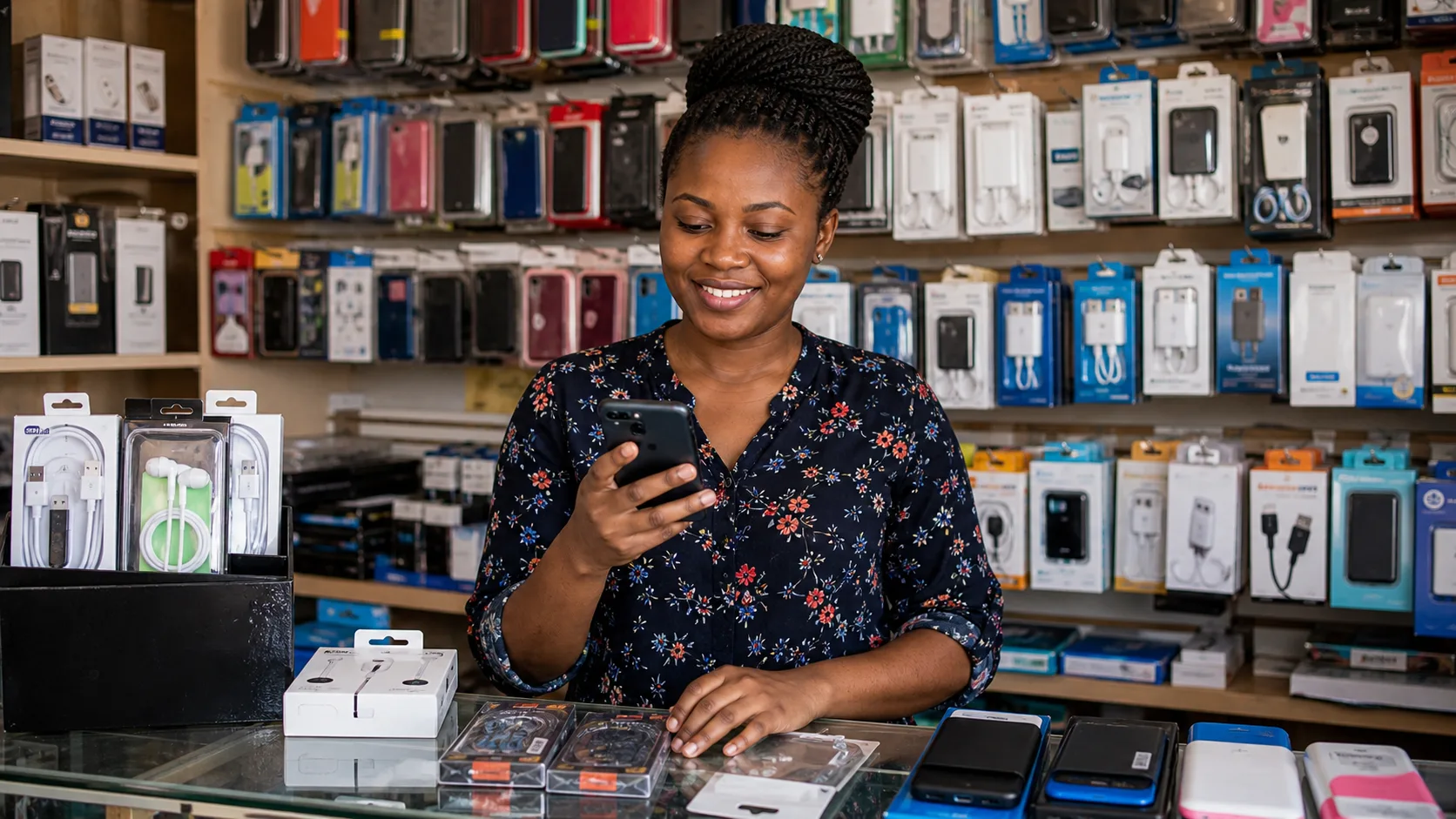
How to Sell Electronics Accessories Online in Kenya from Your Phone: A Complete Guide for Small Business Owners
You can sell electronics accessories online in Kenya from your phone by using a mobile-friendly ecommerce platform like LinkDuka, Shopify, or WooCommerce with M-Pesa integration. Start by sourcing quality accessories (earphones, chargers, phone cases, screen protectors, power banks), take clear photos with your phone, list them on your online store, and accept payments via M-Pesa. Promote through WhatsApp, Instagram, and Facebook. Register your business with the Business Registration Service Kenya, get a KRA PIN for tax compliance, and use Google Business Profile for local discovery. You don't need a laptop or a physical shop-just a smartphone, internet connection, and a reliable supplier.
Why Selling Electronics Accessories from Your Phone Works in Kenya
Kenya has over 65 million mobile phone subscriptions, and smartphone penetration is growing fast. Electronics accessories are high-demand items because people constantly need chargers, earphones, screen protectors, phone cases, and power banks. The beauty of selling these from your phone is that you can start with minimal capital, operate from anywhere, and scale as you learn.
I started selling phone cases from my phone in 2020 during the first lockdown. I had a basic smartphone, a M-Pesa account, and a supplier in Nairobi's River Road. Within three months, I was processing 15-20 orders per week. The key was using the right tools and understanding how to build trust without a physical shop.
What You Need to Start Selling Electronics Accessories Online from Your Phone
1. A Smartphone with Good Camera
Your phone is your product photographer, inventory manager, and customer service desk. You don't need a flagship device-a mid-range phone with a decent camera (12MP or higher) works. Use natural light near a window for product photos. Avoid flash.
2. Reliable Internet Connection
You need at least 4G for uploading product images and processing orders. Safaricom and Airtel offer affordable data bundles. Consider a home fibre connection if you're operating from a fixed location.
3. A Mobile-Friendly Ecommerce Platform
You cannot manage a full website from your phone effectively. Use platforms designed for mobile-first selling:
- LinkDuka (built for Kenyan small businesses, integrates M-Pesa)
- Shopify (mobile app works well, but requires M-Pesa plugin)
- WooCommerce (needs laptop for setup, but mobile management is possible)
4. M-Pesa Business Till Number or Paybill
Customers expect to pay via M-Pesa. Register for a Lipa Na M-Pesa Till number (costs KES 0 to register) or a Paybill (KES 100 per month). Till numbers are best for small businesses because they are free and simple.
5. Business Registration (Optional but Recommended)
Formalizing your business builds trust. Register your business name through the Business Registration Service Kenya for about KES 1,000, then get a KRA PIN for tax compliance. You don't need a full company registration to start, but it helps when suppliers ask for documentation.
6. Supplier or Wholesaler Contacts
Source from:
- Nairobi: River Road, Kirinyaga Road, or Industrial Area for bulk buying
- Online: Jumia, Kilimall, or Alibaba for dropshipping (but verify quality)
- Local manufacturers: Some Kenyan companies produce accessories like phone cases and screen protectors
Step-by-Step: How to Sell Electronics Accessories Online from Your Phone
Step 1: Choose Your Niche
Don't try to sell everything. Focus on one or two categories:
- Phone cases (most popular, easy to photograph)
- Chargers and cables (constant demand)
- Screen protectors (high margin, low shipping cost)
- Power banks (higher value, good for repeat customers)
- Earphones and headphones (trendy, good for social media)
I started with phone cases because they are lightweight, easy to store at home, and customers buy them frequently when they change phones.
Step 2: Set Up Your Online Store Using Your Phone
You can create a store entirely from your phone using LinkDuka. If you want the broader foundation first, this guide to selling products online in Kenya explains the same setup principles for any product category. For electronics accessories, here's how:
- Visit LinkDuka.co.ke on your phone browser
- Sign up with your phone number
- Choose a store name (make it memorable, like "PhoneCaseKE" or "AccessoriesHub")
- Add your products: upload photos, write descriptions, set prices
- Connect your M-Pesa Till number for payments
- Share your store link on WhatsApp and social media
LinkDuka is designed for Kenyan sellers-you get a custom URL, M-Pesa integration, and order management from your phone. No coding or design skills needed.
Step 3: Take Great Product Photos with Your Phone
Poor photos kill sales. Follow these tips:
- Use a plain white or light background (a sheet of paper works)
- Shoot in natural daylight, near a window
- Take 3-4 angles: front, back, side, and a close-up of details
- Show the product next to a common item (like a coin) for scale
- Edit brightness and contrast using your phone's built-in photo editor
For phone cases, show them on an actual phone if possible. Customers want to see how it looks when worn.
Step 4: Write Simple Product Descriptions
Keep descriptions short and benefit-focused. Example:
Samsung A14 Silicone Case - Soft Black Protects your phone from drops and scratches. Slim fit, easy to grip. Compatible with Samsung Galaxy A14. Free delivery within Nairobi. Price: KES 350. Order via WhatsApp: 07XX XXX XXX
Include:
- What it is
- Key features (material, color, compatibility)
- Price (include delivery cost or note "free delivery")
- How to order
Step 5: Set Your Pricing
Electronics accessories have thin margins if you price too low. Calculate:
- Cost price (what you pay the supplier)
- Delivery cost (average KES 150-300 within Nairobi, KES 300-500 upcountry)
- Platform fees (LinkDuka charges no monthly fee, only per-transaction)
- Your profit (aim for 30-50% margin)
For example:
- Phone case cost: KES 150
- Delivery: KES 200
- Your profit target: KES 150
- Selling price: KES 500 (KES 150 + 200 + 150)
Test prices. Start slightly lower to get first sales, then increase as you build reviews.
FREE · No credit card needed
Have a Shop & Ready to Move Online?
Don't panic — launch your free LinkDuka store in minutes. Accept M-Pesa, manage orders, and reach customers everywhere.
Start for Free →Step 6: Accept Payments via M-Pesa
M-Pesa is the default payment method for Kenyan online shoppers. Set up:
- Lipa Na M-Pesa Till number: Free, instant, no monthly fee. Customers pay to your till number.
- M-Pesa Paybill: KES 100 per month, better for larger businesses.
When a customer orders, send them your till number or paybill. Ask for the M-Pesa confirmation message as proof of payment. Then process the order.
Step 7: Manage Orders from Your Phone
Use your phone for everything:
- WhatsApp: Communicate with customers, send order confirmations, share delivery updates
- Google Sheets: Track orders, inventory, and payments (free and works on phone)
- LinkDuka dashboard: View orders, mark as paid, update delivery status
I used a simple Google Sheet with columns: Order ID, Customer Name, Product, Quantity, Price, Payment Status, Delivery Status. Updated it from my phone after every sale.
Step 8: Arrange Delivery
For small accessories, use:
- Boda boda: KES 150-300 within Nairobi, same-day delivery
- Courier services: Wells Fargo, G4S, or local couriers for upcountry (KES 300-500, 1-3 days)
- Pick-up point: Let customers collect from a central location (like a shop or matatu stage)
Always confirm delivery address and phone number. Send a tracking update when the item is dispatched.
Step 9: Promote Your Store from Your Phone
You don't need paid ads to start. Use:
- WhatsApp Status: Post product photos daily with prices and order instructions
- WhatsApp Groups: Join local community groups (estate groups, church groups, school alumni groups) and share your store link occasionally
- Instagram: Post product photos, use relevant hashtags (#phonecasekenya #electronicskenya #onlineshoppingkenya)
- Facebook Marketplace: List items for free, include your store link
- Google Business Profile: Register your business for free at google.com/business. This helps customers find you when they search "phone cases near me"
Step 10: Build Trust and Get Repeat Customers
Trust is everything when selling online from your phone. Do this:
- Respond to messages within 30 minutes during business hours
- Send a photo of the packaged item before dispatch
- Share delivery tracking information
- Ask for reviews after delivery (and share them on your social media)
- Offer a small discount for repeat customers (e.g., "Buy 2 cases, get KES 100 off")
Common Challenges and How to Solve Them
Challenge 1: Customers Don't Trust You
Solution: Use a Google Business Profile with your physical address (even if it's your home). Share photos of your products in packaging. Offer M-Pesa payment on delivery for first-time customers (collect partial payment upfront, balance on delivery).
Challenge 2: Low-Quality Products from Suppliers
Solution: Buy small quantities first to test quality. Build relationships with 2-3 suppliers. Ask for product samples before bulk orders. If selling phone cases, test them on actual phones to ensure fit.
Challenge 3: Delivery Delays or Lost Items
Solution: Use reliable couriers. Insure valuable items (KES 50-100 extra). Always get a delivery receipt. Communicate delays immediately to customers. Offer a replacement or refund if items are lost.
Challenge 4: Managing Inventory from Your Phone
Solution: Keep inventory simple. Stock 10-20 units of your best-selling items. Use a notebook or Google Keep for quick stock counts. Update your online store when items sell out. Don't overstock.
How to Scale Your Electronics Accessories Business from Your Phone
Once you have consistent sales (10+ orders per week), consider:
- Diversify products: Add screen protectors, chargers, power banks
- Bulk buying: Negotiate better prices with suppliers for larger quantities
- Automate: Use LinkDuka's order management to reduce manual work
- Hire help: Pay a friend or relative to handle deliveries or customer service
- Create a brand: Design custom packaging with your logo (print stickers at a local shop)
Legal and Tax Considerations
Even when selling from your phone, you must comply with Kenyan law:
- Register your business: Use the Business Registration Service Kenya. Costs about KES 1,000 for a business name.
- Get a KRA PIN: Required for any business. Apply online through KRA.
- Pay taxes: If your turnover exceeds KES 5 million per year, register for VAT. Most small sellers stay below this threshold but should still keep records.
- Data protection: If you collect customer names, phone numbers, and addresses, you must comply with the Data Protection Act. The Office of the Data Protection Commissioner (odpc.go.ke) provides guidelines. For small businesses, this means asking consent before storing customer data and not sharing it without permission.
Tools to Sell Electronics Accessories from Your Phone
| Tool | Purpose | Cost |
|---|---|---|
| LinkDuka | Mobile storefront, M-Pesa integration, order management | Free to start, per-transaction fee |
| Google Business Profile | Local discovery, customer trust | Free |
| WhatsApp Business | Customer communication, catalog sharing | Free |
| M-Pesa | Payment collection | Free (Till number) or KES 100/month (Paybill) |
| Google Sheets | Inventory and order tracking | Free |
| Canva (mobile app) | Create social media posts | Free version works |
Real Example: How I Sold 50 Phone Cases in One Month from My Phone
In January 2021, I decided to test selling phone cases for the Tecno Spark 7 (a popular budget phone in Kenya). I bought 20 cases from a supplier in River Road for KES 120 each. I took photos on my Samsung A12, listed them on LinkDuka, and shared the link on WhatsApp status and three estate WhatsApp groups.
First week: 5 sales. I was discouraged but kept posting. Second week: 12 sales after I added a "free delivery within Nairobi" offer. Third week: 18 sales because one customer shared my link in a church group. Fourth week: 15 sales from repeat customers.
Total: 50 cases sold. Revenue: KES 25,000 (at KES 500 each). Cost of goods: KES 6,000. Delivery costs: KES 4,000. Platform fees: KES 500. Profit: KES 14,500.
The lesson: consistency and customer trust matter more than having a fancy website.
Final Tips for Selling Electronics Accessories Online in Kenya from Your Phone
- Start small: Don't buy 100 units of one item. Test with 10-20.
- Focus on one phone model: At first, sell accessories for the most popular phones in your area (Tecno, Samsung, Infinix, Nokia).
- Use your phone's camera well: Good photos increase sales by 50% or more.
- Respond fast: Customers who message you are ready to buy. Reply within minutes.
- Ask for referrals: Happy customers will bring you more business.
- Track everything: Know which products sell, which don't, and why.
Selling electronics accessories online in Kenya from your phone is not a dream-it's a practical business you can start today. You don't need a laptop, a shop, or a big budget. You need a phone, a supplier, a mobile-friendly platform like LinkDuka, and the willingness to learn one step at a time. Start with one product, sell it well, and grow from there.

Was this post helpful?
Discussion
Comments