

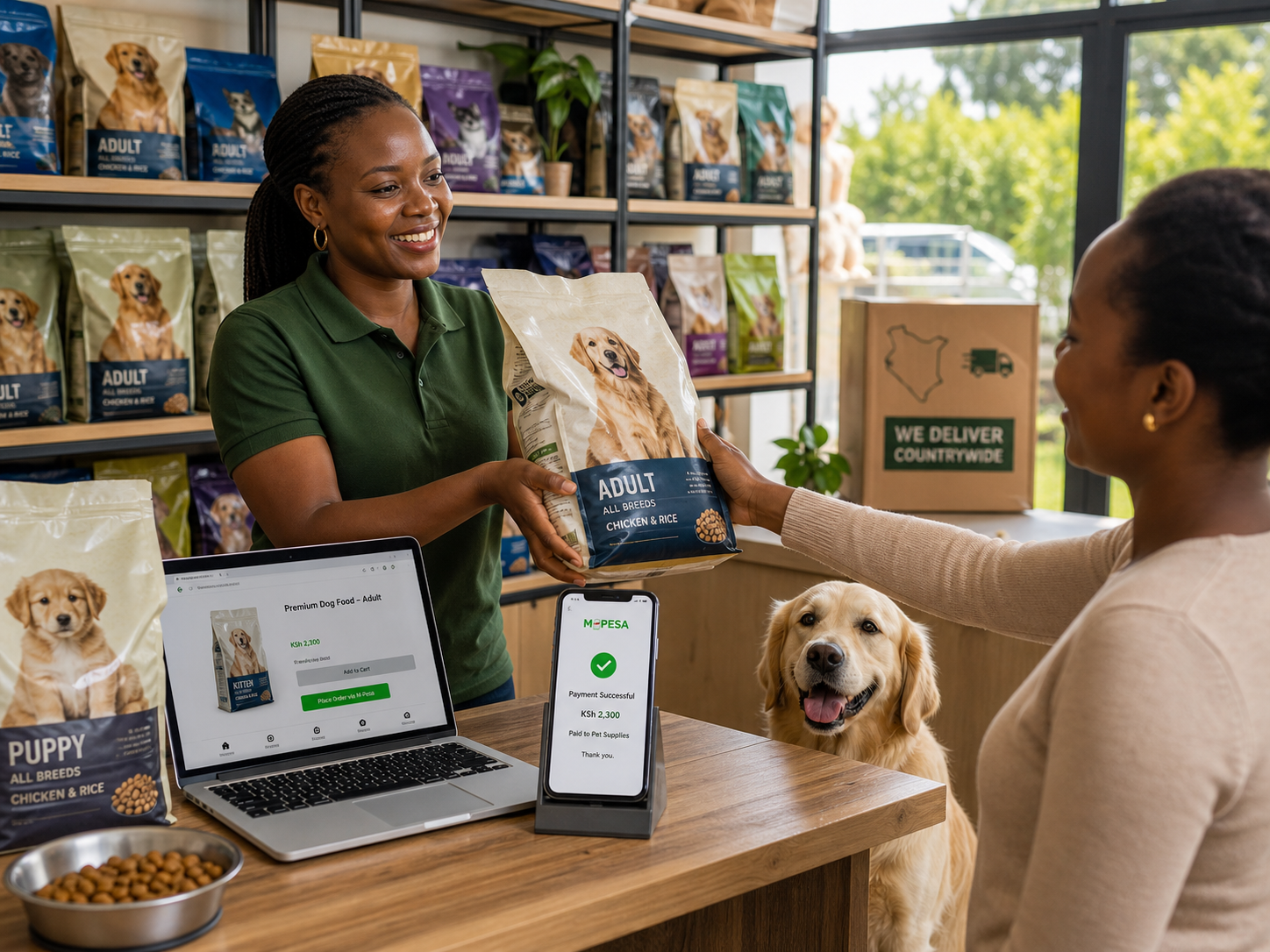
How many screenshots are you scrolling through to find one payment? Every mismatched M-Pesa payment for kibble costs you repeat buyers and restocking accuracy. The fix for a pet food online shop in Kenya is to collect M-Pesa inside the checkout, so the order and payment become one record. No more digging through WhatsApp to confirm who paid for what.
The local problem a pet food M-Pesa checkout solves best
The most expensive part of social selling is not the product. It is payment proof. When you sell pet food from WhatsApp, customers often ask for your till number, send a payment screenshot, and expect you to remember exactly what they paid for. Screenshots can be edited, M-Pesa confirmation messages get ignored, and a customer who paid for a 5kg bag can end up waiting while you search through messages to match the payment.
A pet food online shop in Kenya that collects M-Pesa inside the checkout solves this exact problem. The order and the payment are created in the same step, so both seller and buyer see one clear record of what was bought and what was paid. This matters even more in pet food because the category runs on repeat purchases. A dog owner who buys kibble this month will likely need it again next month, and a clean payment history makes restocking and follow-up messages safer and easier.
The local problem it solves best is the messy middle between "how much?" and "sawa, nimetuma." Without a structured step, that middle is full of guessing.
What to know before you start selling pet food online
You do not need a full website to start. You do need a few basics in place so that the first M-Pesa payment does not create a compliance headache later.
- Register your business. A registered business name gives you a legal identity for invoices and supplier contracts. The Business Registration Service Kenya handles name registration and formal business setup.
- Confirm your pet food meets Kenyan standards. Pet food falls under animal feed quality rules, and the Kenya Bureau of Standards sets the relevant standards. If you import pet food, KEBS importation checks also apply. Do not advertise a product before you are confident it meets those requirements.
- Keep KRA-ready records. M-Pesa transactions are traceable, so the taxman can see your sales. Keep a simple daily record of orders and issue an invoice when a customer asks for one. VAT applies once you cross the current registration threshold, and that threshold changes, so check the Kenya Revenue Authority website for the 2026 position.
- Handle customer data responsibly. Phone numbers, M-Pesa records, and delivery addresses are personal data. The Office of the Data Protection Commissioner Kenya provides guidance on consent and record keeping, and this matters the moment you build a WhatsApp broadcast list for restock alerts.
- Set up local discovery. A Google Business Profile helps pet owners searching for food suppliers near their estate find you, so create one before you start running promotions.
None of these steps require a laptop. They require intention, and they protect the business you are building on your phone.
The clearest way to explain your checkout to a customer
Customers do not need a lecture. They need one sentence that tells them what to do next. Use this:
"Everything is on this link. Tap it, choose your bag size, then select M-Pesa at checkout. You will get the STK push on your phone, confirm it, and your order is automatically recorded."
Why does this work? It names the exact action, sets the expectation of the STK push, and tells the customer what happens after payment. There is no ambiguity about whether to send a screenshot or DM a till number.
The common mistake is answering a price question with a till number instead of a link. A till number forces the customer to remember the amount, type the number, and then trust that you matched their payment to the right order. A link does all of that work for them.

Pro tip: Send the product link, not a till number, when a customer asks for a price. The link shows every size and price and guides the customer straight to M-Pesa. A till number in chat creates extra work for both of you.
How to promote a pet food shop on WhatsApp, Instagram, and Facebook
Promotion is not about being everywhere. It is about putting each platform to work so the customer ends up at your product link.
- WhatsApp Business is your home base. Use the catalogue feature to show your bags and prices, post product photos to your status, and set a quick reply for the most common question: "price?" Only message customers who agreed to receive updates, because unsolicited bulk messages create a data protection risk under ODPC guidance.
- Instagram and Facebook work best with visual proof. Post short videos of pets enjoying the food, feeding instructions, and before - and-after bag shots. Meta Business Suite lets you manage both pages and set up shop features without jumping between apps. Keep the product link in your bio and send it in DMs the moment someone asks about availability.
- TikTok is where pet food content travels fast in 2026. Short clips of meal prep, portion sizes, or a dog waiting by its bowl outperform static images. TikTok for Business offers tools for structuring content, but you do not need paid ads on day one; consistent short videos plus a clear link are enough to start.
Every platform has one job: earning enough trust to get the customer to tap your link. Promotion without a working link is just popularity. The checkout stays the same no matter where the customer came from.
How to get more enquiries and turn them into paid orders
You already get enquiries. The question is whether they become orders. This workflow turns a "how much?" message into a paid order without extra friction.
- Build a simple catalogue with clear sizes and prices: 500g, 2kg, 5kg. Pet food buyers compare by price per kilogram, so show the weight clearly.
- Generate one product link for your catalogue. If you are using a tool like LinkDuka, the product link becomes your checkout page with M-Pesa built in. The LinkDuka guide on accepting M-Pesa walks through the buyer's payment experience step by step.
- Share the link in every conversation. WhatsApp status, Instagram bio, Facebook posts, and TikTok captions all point to the same link.
- Reply with the link, not a price. When someone asks, "how much is the 5kg bag?", send the link and say, "It is on this page along with the other sizes." This keeps your catalogue accurate in one place.
- Let the checkout record the order. At the M-Pesa step, the customer confirms the payment, and the order is captured. You no longer need to match screenshots to names.
The principle behind this workflow is simple: answer price questions with the link, not a number. A number starts a negotiation; a link starts a transaction.
Quick comparison: ways to collect M-Pesa for pet food orders
Not every M-Pesa collection method fits a social seller. Here is how the options compare for a small Kenyan pet food business.
| Payment method | How the customer pays | Where it fits | The risk to watch |
|---|---|---|---|
| Personal M-Pesa number | Sends money directly to your line | Friends and very small trusted circles | No order record; screenshots are easy to fake |
| M-Pesa Paybill | Enters your paybill and account number | Registered businesses with higher order volume | More steps; account number mistakes delay sales |
| Lipa na M-Pesa till | Enters your till and confirms with STK push | Counter sales and walk-in customers | Payment is not tied to a specific order unless you track it manually |
| Product link with M-Pesa checkout | Taps the link, selects the product, pays with M-Pesa | Social sellers and small online shops | You must build the catalogue once and keep it updated |
Transaction fees apply on every business M-Pesa collection method, and Safaricom reviews these rates from time to time. Confirm the current fee on the official Safaricom M-Pesa page before you set your selling prices, because a fee you forgot becomes a margin you lose.
Common mistake: Taking M-Pesa payment before confirming fresh stock. Pet food has an expiry window, and customers remember bad feeding experiences for a long time. Confirm that the bag is available, fresh, and within its shelf life before you send the checkout link.
Quick checklist before you take your first M-Pesa payment
Go through this list once, and the first order will feel boring in the best way.
- Business name registered with the Business Registration Service Kenya.
- Pet food products checked against relevant KEBS standards.
- A simple daily sales record for KRA records.
- A catalogue with clear sizes, prices, and stock status.
- A product link that leads to an M-Pesa checkout.
- A consent line for customers who want restock alerts.
- Delivery fee decided and stated before the link is sent.
Getting started with your pet food product link
If pet food is your product and social media is your storefront, start with the catalogue and the product link. The M-Pesa checkout comes attached to that link, so you do not need to build a website just to take payments. A LinkDuka product catalogue gives you exactly that structure, and the sell online in Kenya hub explains how the pieces fit together for sellers operating from their phones.
Once the link is live, test it yourself. Send it to your own phone, order your own product, and complete the M-Pesa payment. If the flow feels confusing on your end, it will feel confusing for your customer, so fix the friction before you promote it publicly.
M-Pesa already carries the trust in Kenyan commerce. Your job as a pet food seller is to attach that trust to a clear order record so a customer knows exactly what they paid for, and you know exactly what to deliver. That single change is what turns a casual social seller into a shop people buy from again.
Was this post helpful?
Discussion
Comments